A practical guide by Oria

Executive
summary slide

Lead with the decision
A clear structure, four writing steps and six editable templates

Write your summary
An executive summary with a recommendation, evidence and askConsolidate from eighteen suppliers to six to target four million dollars in annual savings, validate coverage and approve a ninety-day negotiation planDECISION BRIEF · ILLUSTRATIVE EXAMPLEConsolidate the supplier baseto target $4m in annual savings01 / RECOMMENDATIONMove from 18 suppliers to 602 / EVIDENCEThe top six cover 92% of demand03 / THE ASKApprove a 90-day negotiation plan

The answer first
The evidence underneath

An executive summary slide states your recommendation, the reasons it holds and the decision you need from the audience

Give a senior reader enough to understand the conclusion without opening the rest of the deck, then use the following pages to support the detail

01

Recommend

State the action and the outcome you expect

02

Support

Choose two or three independent reasons that make the case

03

Ask

Name the decision, accountable owner and next date

A supplier decision
Ready for the room

Imagine a team comparing its supplier base: the slide needs to explain the opportunity and secure permission to negotiate, with the savings clearly presented as a target

Illustrative executive summary · figures describe a fictional company
Part of the slideWhat it says
RecommendationConsolidate from 18 suppliers to 6 to target $4m in annual savings
CoverageThe six preferred suppliers already cover 92% of demand
EconomicsModelled savings depend on negotiated rates and adoption of preferred contracts
RiskQualify backup supply before moving critical categories
DecisionApprove a 90-day negotiation plan, owned by the procurement director

Next gate: confirm commercial terms and coverage before a final consolidation decision

The page makes one request, shows why it is worth pursuing and keeps the condition visible — the audience can approve the next step without treating a forecast as a commitment

Four steps to a sharper summary

  1. 1

    Write the recommendation

    Start with a verb and a concrete outcome: “Consolidate suppliers to target $4m in savings” gives the audience a position to evaluate

  2. 2

    Choose the supporting reasons

    Keep two or three distinct claims, each backed by a number, observation or comparison; move methodology and background to later pages

  3. 3

    Make the ask specific

    State what needs approval, who will act and when the decision returns, with the largest unresolved risk beside the request

  4. 4

    Edit for a quick read

    Read only the headline, supporting titles and ask; they should form a coherent argument even when the body copy is hidden
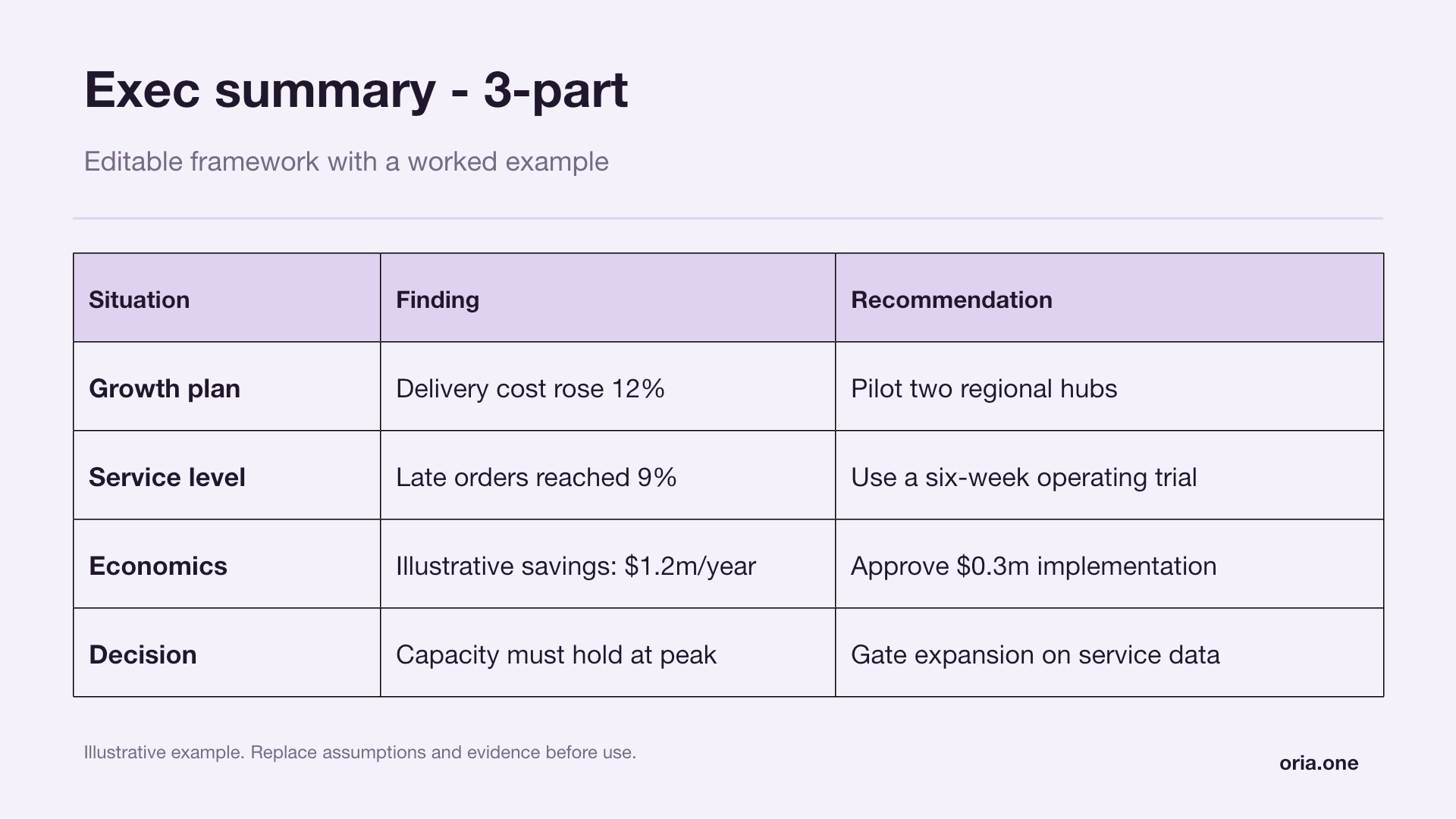
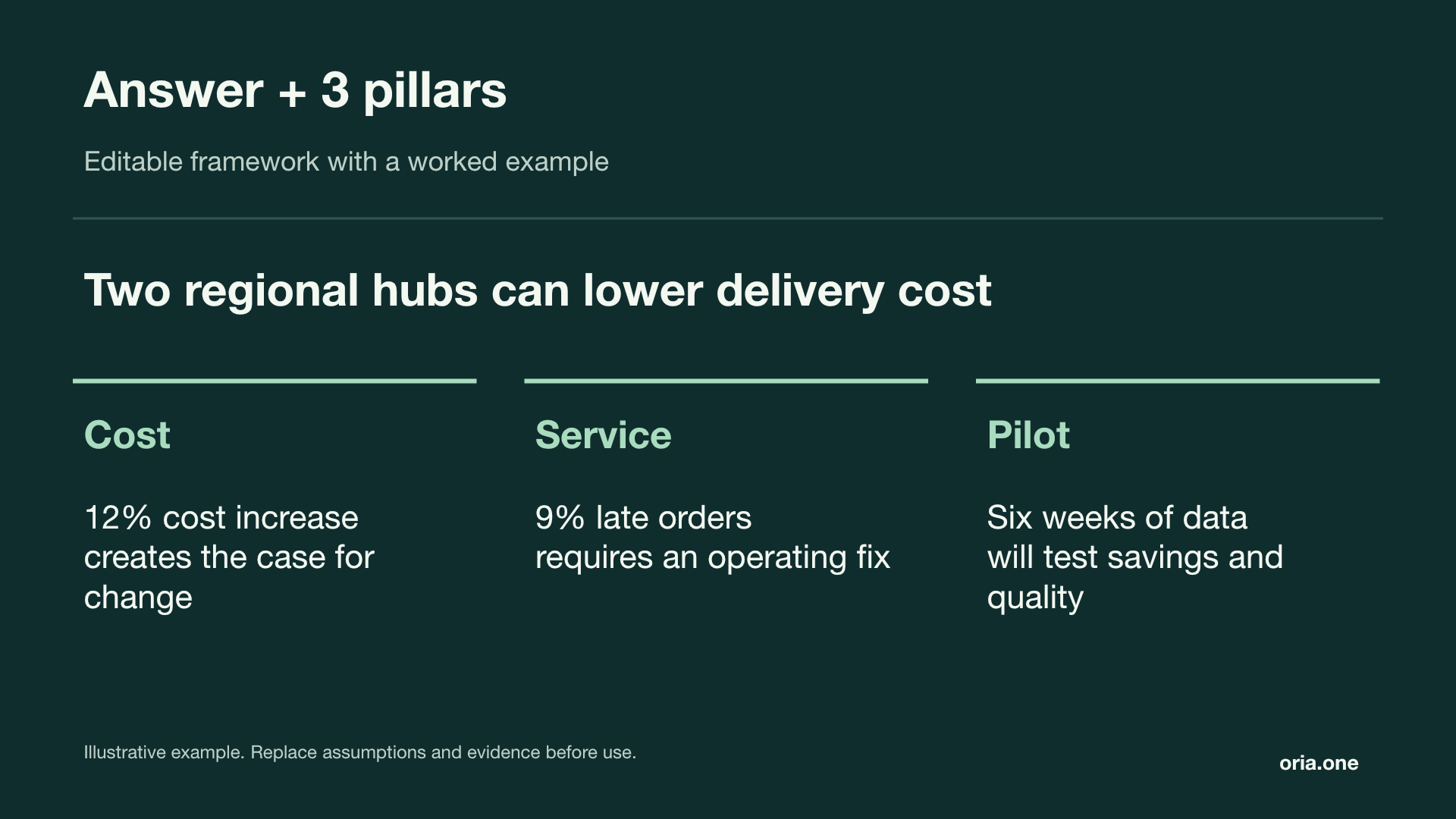
A short page
A complete argument

  • The title takes a position — replace “Programme update” with the actual conclusion
  • Evidence supports each claim — distinguish realised results from forecasts, targets and assumptions
  • The reasons are distinct — merge overlapping points rather than filling three columns by habit
  • The ask survives a forwarded deck — include the decision, owner and next date in the slide itself

For a live presentation, aim for roughly 90–130 words as an editing guide; a pre-read may need more context, but smaller type rarely fixes an unclear argument

Start with a slide
Make it your own

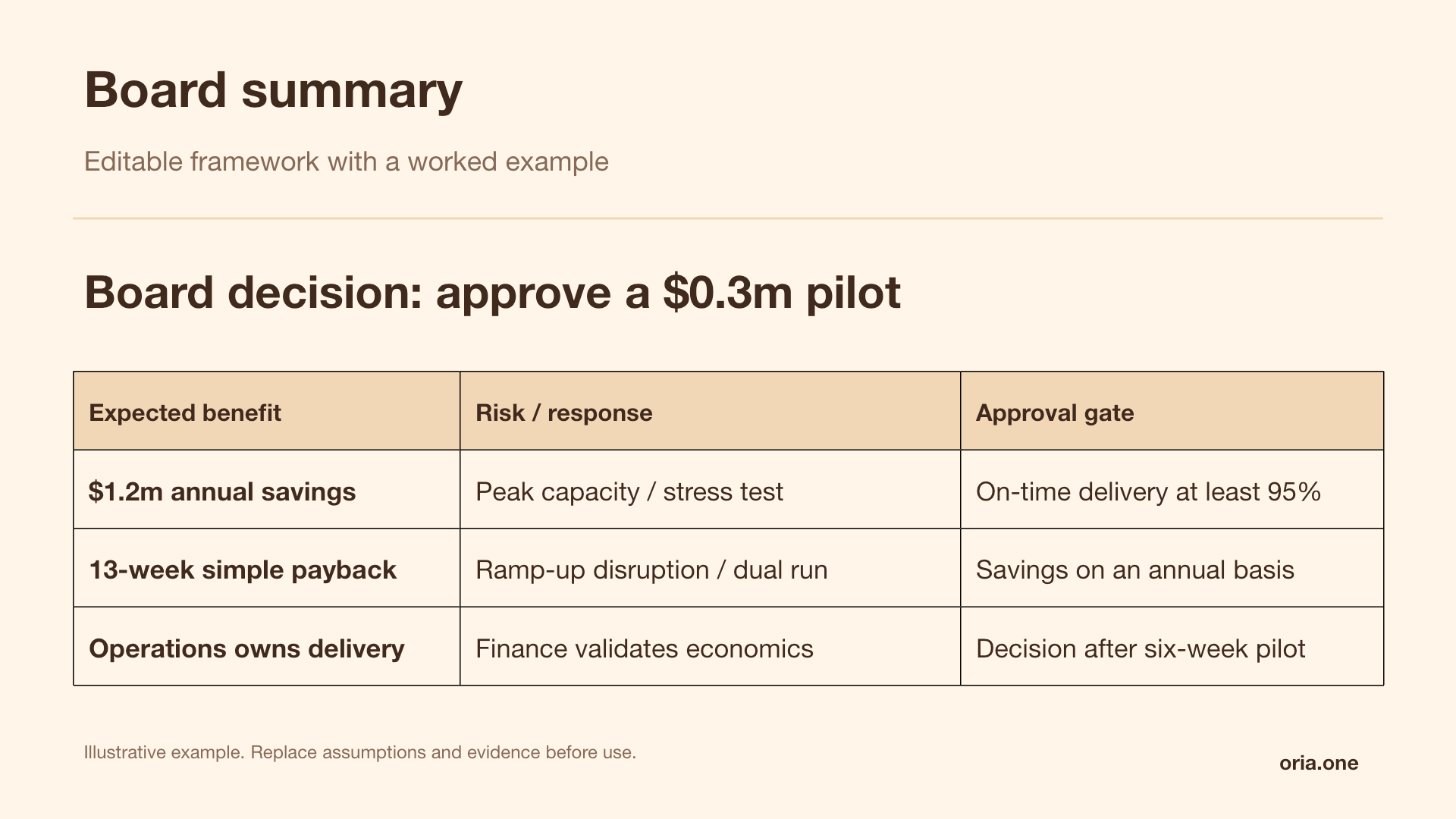
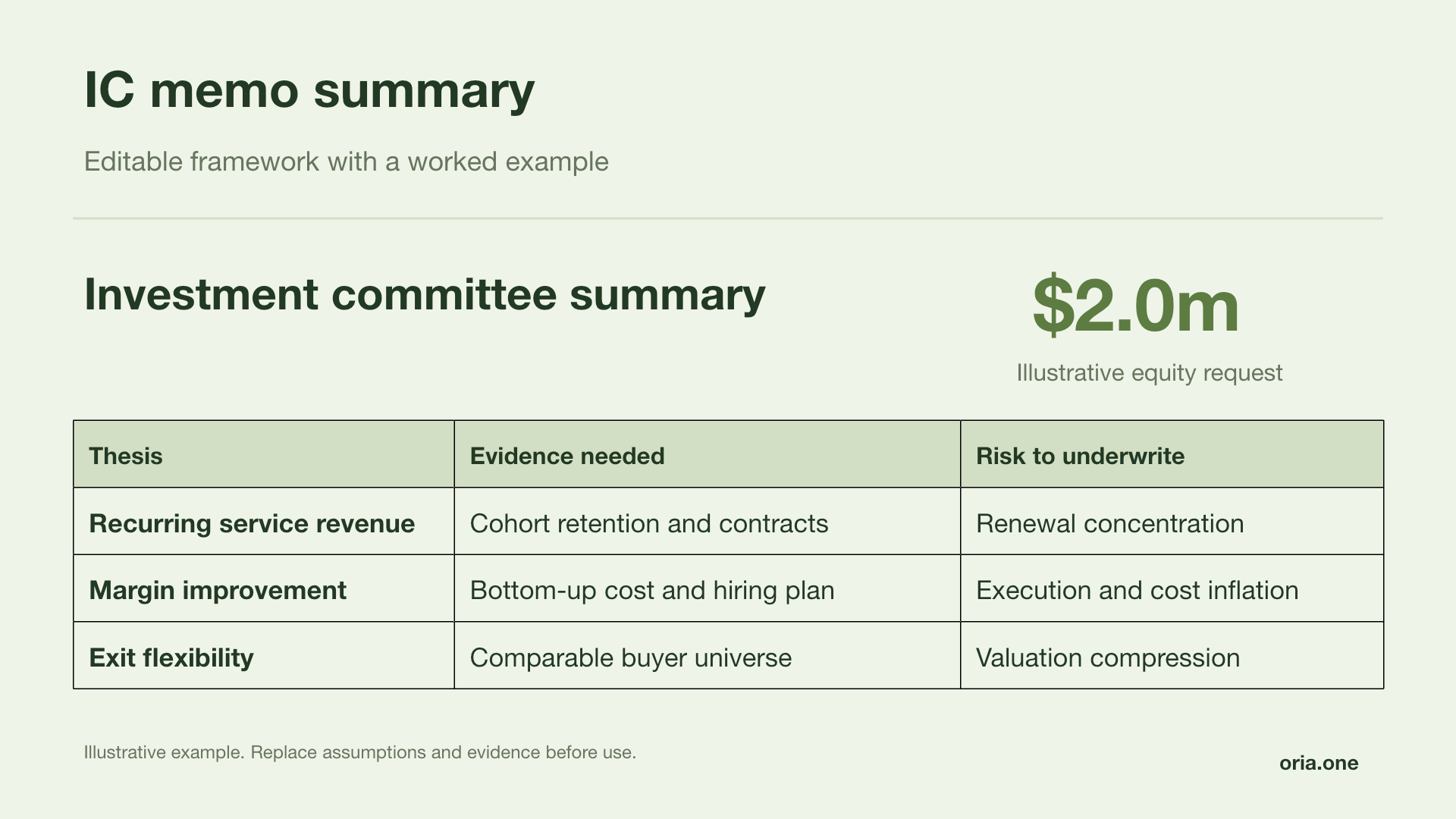
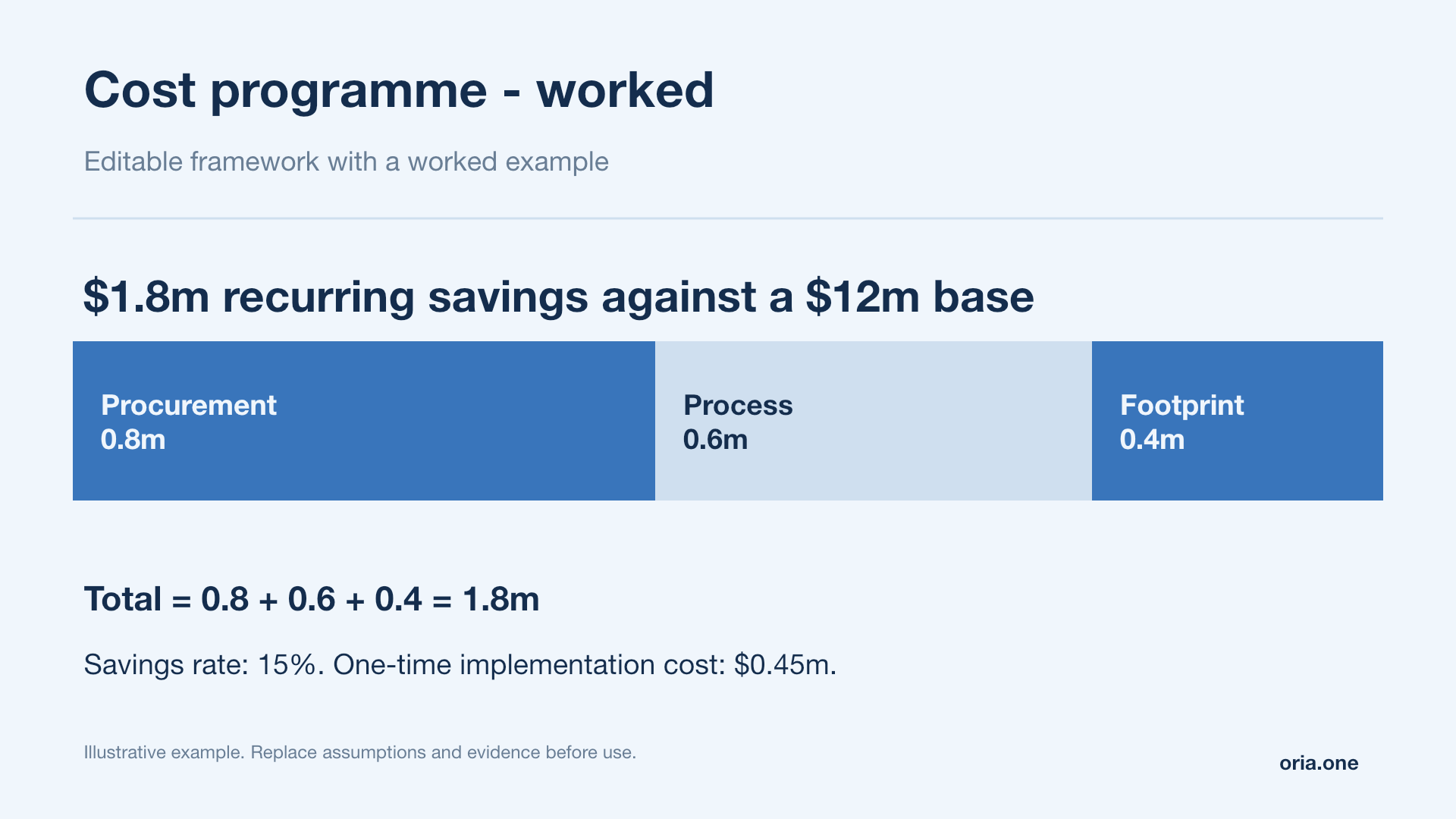
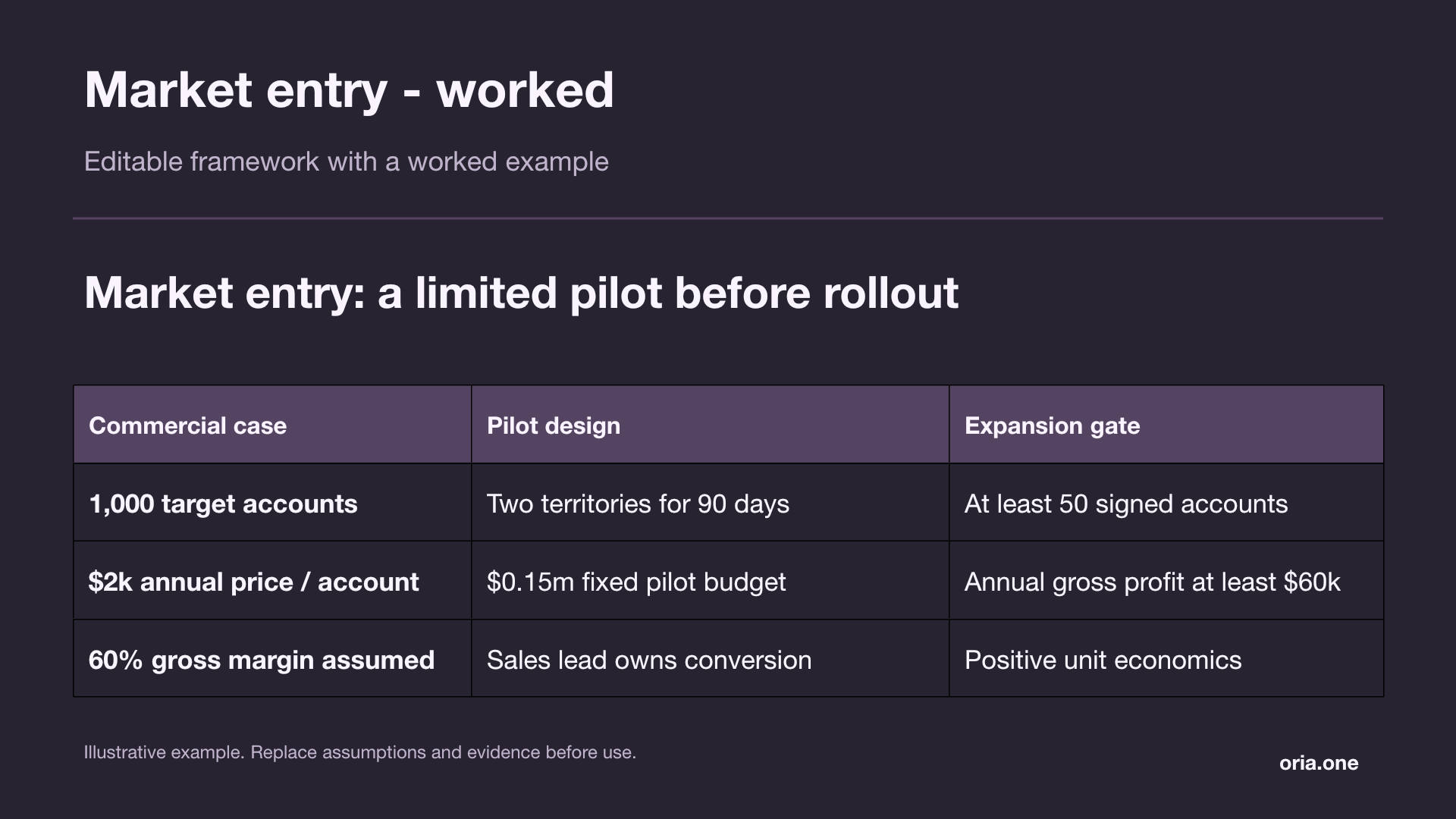
Six layouts for board decisions, investment cases, cost programmes and market entry — preview a PDF or download the editable PowerPoint

Illustrative examples · Editable text and shapes · No sign-up required

A few useful answers

What belongs on an executive summary slide?

Include the recommendation, two or three supporting reasons, the decision required and the key risk; add an owner and a date so the next step is actionable

How is an executive summary different from an agenda?

An agenda lists what the meeting will cover; an executive summary communicates the conclusion and the decision the audience needs to make

Should the executive summary come first?

Usually yes, immediately after the cover or essential context, so the audience understands the recommendation before reviewing the supporting analysis

How many words should I use?

Roughly 90–130 words is a useful starting point for a presented slide; adapt to the audience and format, then remove detail that does not change the decision

Which layout should I choose?

Use answer plus supporting pillars when the framing is agreed, or situation, findings and recommendation when the audience first needs a little context

Can I edit the downloadable examples?

Yes — the PowerPoints contain editable text and shapes; use the PDFs to preview the layouts, then replace the illustrative claims, values and decisions with your own